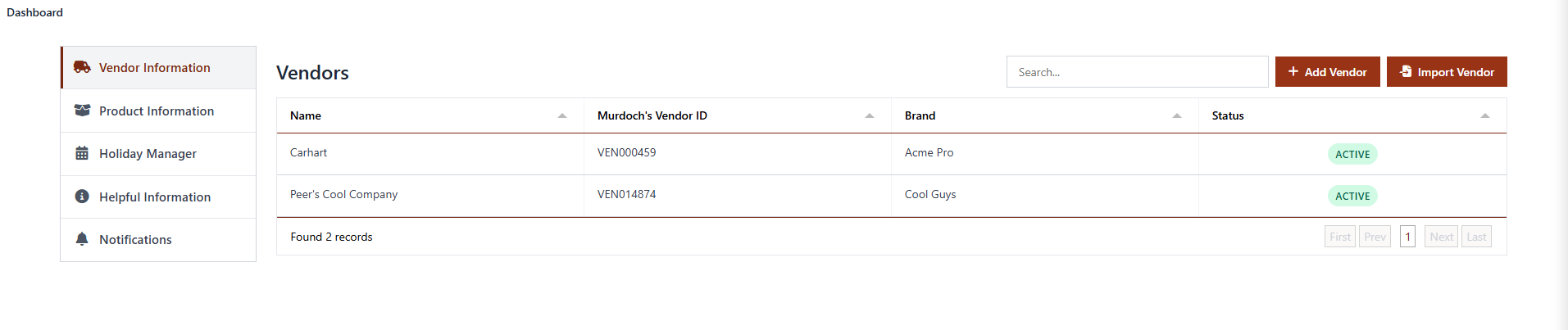
Sidebar tabs
The dashboard sidebar has five tabs. Each opens a workspace in the main content area on the right.Vendor Information
Search, filter, and open any vendor record. Add new vendors or import existing ones from Dynamics.
Product Information
Enter the Hardgoods (PPL) and Softgoods portals to manage product onboarding projects.
Holiday Manager
Create and manage MAP (Minimum Advertised Price) holidays for promotional windows.
Helpful Information
Publish links and downloadable files that are visible to all vendors on their portal.
Notifications
See vendor onboarding requests, PPL lifecycle events, and other actionable notifications.
Vendor Information tab (default)
When you first sign in, the Vendor Information tab is selected. This shows the vendor list — the primary work surface for the purchasing team. Key controls on this screen:Product Information tab
The Product Information tab shows the two portals used to manage product onboarding. Both portals share the same idea — a project that collects new product data from a vendor and eventually pushes it to Murdoch’s downstream systems — but they follow different workflows and go to different destinations.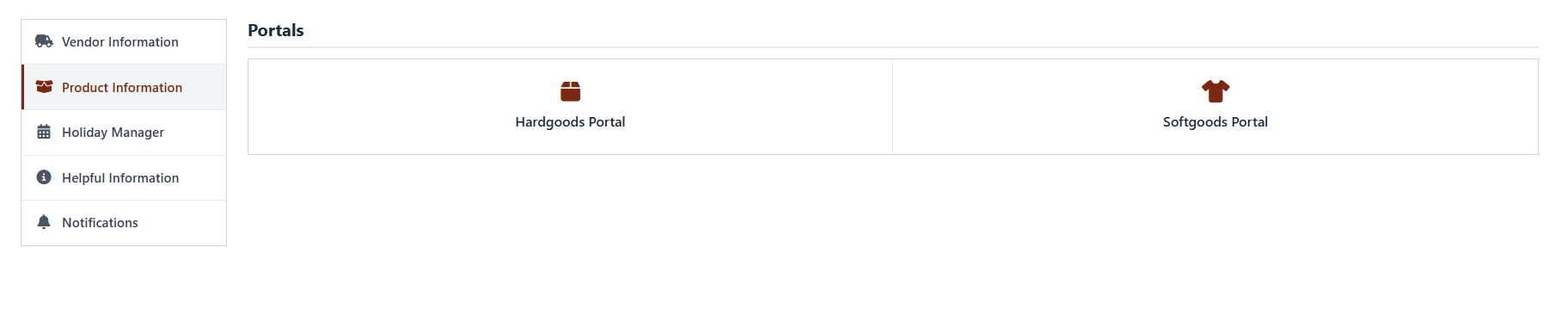
Hardgoods Portal
PPLs (Product Portal Lists) for hardgoods items. Vendor → Specialist QA → Buyer → Import to Dynamics → Stocking Table → Complete.
Softgoods Portal
Softgoods orders for apparel and softside items. Vendor (attribute grid) → Employee QA → Import to Pimberly → Complete.
Which portal do I use?
Hardgoods process
The full hardgoods workflow, in order:- Start a New PPL — pick the vendor, contact, buyer, delivery date, and MPN list.
- Vendor Collection — the vendor fills in cost, MSRP, MAP, weight, dimensions, images, and attributes.
- Specialist QA — a specialist reviews the submission and either approves it or sends it back to the vendor.
- Buyer Collection — the buyer sets brand, retail price, routing, UOM, and item status.
- Import to Dynamics — finalized products are pushed to Dynamics 365 F&O.
- Stocking Table — set per-store min, max, stocked, and season code.
- Completion & Reopening — the PPL is locked as complete.
Softgoods process
The softgoods workflow is shorter and has no buyer step or stocking table:- Start a New Order — pick the vendor and contact.
- Vendor Collection — the vendor fills in the attribute grid (size × color variants).
- Employee QA — an employee reviews and approves the submission.
- Import to Pimberly — products are streamed to Pimberly with per-product progress.
- Completion — the order is locked as complete.